

Android app by Smart App Craft
Turn your videos into live wallpapers on Android
Video Live Wallpaper is an Android app that makes a video your phone's wallpaper. Pick a clip, choose whether it plays with sound, and tap Set Video Wallpaper: your home screen starts to move.
- Free to install, with in-app purchases
- Sound option
- For Android phones
Your own videos, now your wallpaper
The best moving wallpapers are the clips that mean something to you: waves you filmed on holiday, your dog running on the beach, rain on a window, city lights at night. Choose one from your phone's gallery and it becomes the background you see every time you unlock.
According to the developer, the app supports 4K video and works with video files, not GIF files. Use videos that you filmed yourself or that you have the right to use. These guides show what each source allows:

How the app works
- Install Video Live Wallpaper from Google Play.
- Choose a video from your gallery.
- Turn the Sound option on or off.
- Tap Set Video Wallpaper and confirm the wallpaper in the Android preview.
That is all it takes. The full guide, with the Android confirmation screen and notes for many phone brands, explains how to set a video as wallpaper.

Sound, fit and screen options
The app has a Sound option for the video wallpaper. According to the developer, you can also adjust how the video plays before you apply it:
- Sound on or off: let the clip play its audio or keep it silent. More in the guide to video wallpaper with sound.
- Fit to screen: scale or crop the video so the important part stays in view, and correct a wallpaper that looks zoomed in or cropped.
- Home screen, lock screen or both: what your phone allows is explained in the guide to a video on the lock screen.

Ideas for a beautiful video wallpaper
Calm, slow motion makes the most pleasant wallpaper: a waterfall, drifting clouds, a sunset over the sea, leaves in the wind. Short clips that loop without a visible jump feel natural, and dark clips keep icons easy to read. A vertical video fills a phone screen without losing its edges.
If you have no clip of your own, according to the developer the app includes an online gallery of video wallpapers, with themes such as nature and landscapes, cars and neon cities, anime and abstract art. You can also prepare your own clip or use a 4K video.

Guides and fixes
Getting started
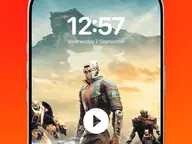 How to set a video as wallpaper: every step in the app, plus the Android preview.
 Turn a video into a live wallpaper: clip length, trimming and seamless loops.
 Video on the lock screen and home screen: what Android and phone makers allow.
Fix a problem
 Live wallpaper not working: black screen, freezing and resets after a restart.
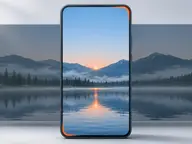 Live wallpaper zoomed in: cropped video, black bars and framing.
Learn more
- What is a live wallpaper?: live, video, GIF and Live Photo wallpapers compared.
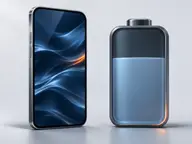 Does a live wallpaper drain the battery?: how live wallpapers use power.
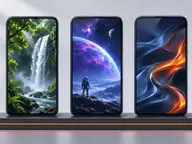 How to choose a video wallpaper app: what to check before you install.
Guides for your phone
Phone makers change Android's wallpaper menus, and some phones have their own video wallpaper options. Pick your brand:
The page about how to set a video as wallpaper also has notes for vivo, Motorola, Honor, Tecno and Infinix phones.

Who makes the app
Video Live Wallpaper is published by Smart App Craft and listed in the Personalization category on Google Play. It is available for Android only. The app is free to install and has in-app purchases; according to its privacy policy, it shows ads from third-party partners, and videos you pick from your device stay on the device unless a feature says otherwise.
This website explains how the app works and how video wallpapers work on Android in general. Read more about the app and this website.
Updated: